NSP Scholarship Status Explained: OTR, Submission, Verification and Payment
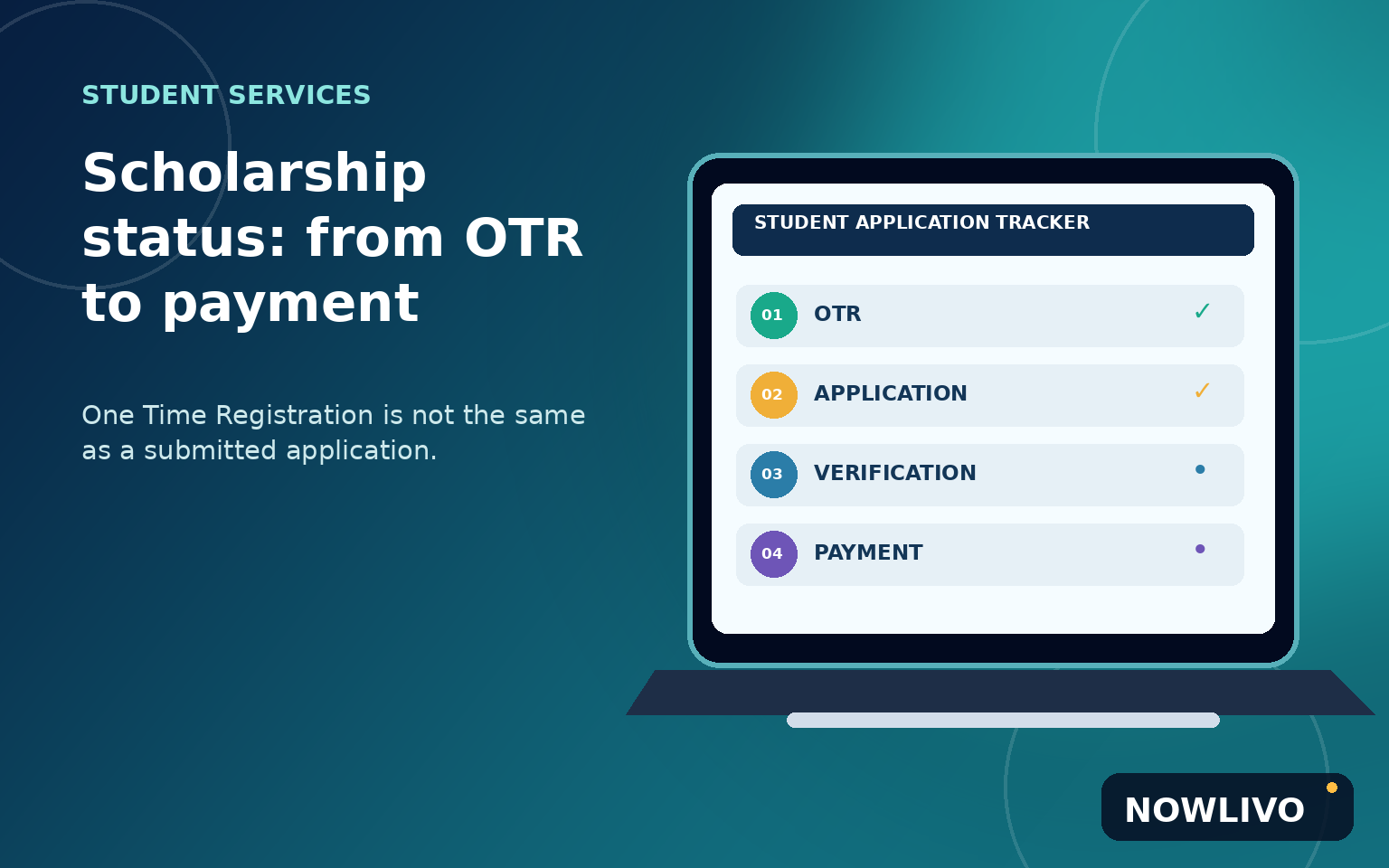
A student can finish National Scholarship Portal registration and still have no scholarship application submitted. That is the single most important distinction to understand before checking a payment, asking a college office for help or assuming that registration means approval. The National Scholarship Portal (NSP) uses One Time Registration, or OTR, to establish a student identity for the application process. An OTR number is a starting credential, not a scholarship award.
The practical method is to follow three separate checkpoints: confirm that your OTR was generated, confirm that you actually submitted the correct scheme application for the relevant academic year, and then check verification and payment information in the appropriate official portal. This guide explains how to keep those stages separate without inventing a common deadline or eligibility test for every scholarship.
Start at the official portal, not a forwarded form
Type scholarships.gov.in directly or use an official government link to reach NSP. Be wary of paid 'verification' services, advertisements resembling login pages and messages promising guaranteed selection. The portal's public OTR guidance says no fee is required for OTR. That statement concerns OTR registration; it does not establish eligibility for every scheme or answer all administrative questions.
Check that the scheme you want actually appears on the current official portal and belongs to the appropriate school or college stage, domicile and category. A scholarship name copied from a previous academic year may point to a closed scheme or different set of conditions. The scheme's official guidelines, rather than a social-media list, determine permitted applicants, documents, deadlines and renewal rules.
What an OTR number is — and what it isn't
NSP describes OTR as a unique number intended for the student's academic career. Its public student guidance says OTR is required to apply for scholarships hosted on the portal. As part of the process, the site references an active mobile number and identity verification, with an OTR app and face-authentication steps for applicable registration routes. The current screen is the best authority for the actual sequence.
A common problem is confusing a reference number generated during registration with the final OTR number. Another is assuming that successful OTR generation automatically files the scholarship application. NSP explicitly states that OTR generation does not amount to a scholarship application. Once OTR is ready, a student must use the scholarship application module and meet the requirements of the selected scheme. Save acknowledgements at each stage in a private folder, but never publish the number online.
Build an application record before filling forms
Create a simple worksheet with five fields: academic year, exact scheme name, fresh or renewal status, current application status, and the portal URL where you checked it. Add the date of your last check. Keep electronic copies of any documents the scheme specifically requests. Do not upload every identity document you own just because an unofficial checklist says so.
Match names, date of birth and other identity data carefully to official records. NSP's OTR instructions warn that incorrect demographic entries may lead to rejection or difficulty with verification. If an identifier or spelling is wrong, use the official correction guidance or helpdesk instead of generating multiple identities. A parent or guardian assisting a minor should follow the instructions for minors presented in the current portal, not a copied tutorial aimed at adult students.
Confirm application submission rather than just login
After you log in with the supported credentials, open the scholarship application area. Select the intended academic year and scheme; the labels may vary as the portal changes. Work through the fields and read the instructions near any declaration. A form saved for later is not necessarily a submitted application. Look for a final submission confirmation, reference or application ID, or a dashboard status showing that the application has entered processing.
Download the submitted copy or acknowledgement if the portal offers one. If you cannot identify a submission confirmation, return to the dashboard before you assume the work is complete. Avoid pressing the final-submit button repeatedly while the site is busy: first check whether it has already registered your application. Students using multiple portals should not mix an NSP application ID with a state scholarship portal's identifier.
Understand verification without guessing the result
The application may go through institutional or other nodal verification depending on the scheme. Ministry of Education material describes levels such as Institute Nodal Officer and District Nodal Officer for relevant scholarship processing, but it does not follow that every application has an identical sequence. A status that says submitted, pending at institution, verified or forwarded must be interpreted in the context of the selected scheme and the portal's current definitions.
If the portal says verification is pending, identify the organization responsible for the stage shown and review the scheme instructions for an appropriate contact. Bring the application ID, academic year, scheme name and a screenshot of the status. Ask which item, if any, is missing. Do not treat a verbal 'looks fine' as final approval; check the recorded status again afterward. At the same time, a pending status is not proof that an application was rejected.
Why payment tracking is a separate question
Application acceptance, verification, sanction and money reaching a bank account are related but distinct events. The National Government Services Portal points students to NSP payment-tracking services. Some scholarship payments use public financial systems and bank-account mapping procedures described in official guidance, but the exact workflow depends on the scheme. Do not assume that verification immediately creates a transfer or that every payment will arrive on the same timetable.
If a dashboard shows payment processing, use the official track-payment link identified by the portal and read the status wording. Check the bank account associated with the application using your bank's own secure channels. An intermediary who requests your UPI PIN, net-banking password or remote phone access to 'release scholarship funds' is not providing ordinary scholarship assistance. Do not pay someone to speed up a transfer on the strength of an unsolicited message.
An example: registration done, application missing
Suppose a first-year student completes OTR through the official route, sees the new number and stops. Weeks later the student asks the college why the scholarship payment has not arrived. The first useful check is not the bank statement. It is the NSP dashboard: does a submitted application exist for the correct academic year and scholarship scheme? If not, the student needs to check whether applications are still open and follow the official form process, rather than requesting payment for an application that was never filed.
A different student may have an application ID but see a pending institutional verification stage. That student should preserve the acknowledgement, contact the named responsible office and use the portal to monitor the recorded result. The two cases need different actions despite both being described casually as 'my scholarship is pending.'
Common mistakes that delay resolution
Mistake one is following an old video tutorial whose menu labels or scholarship year no longer match. Mistake two is copying the previous year's deadline into a new year's planning notes. Mistake three is trying to fix a spelling mismatch through a second OTR without following official support instructions. Mistake four is giving sensitive identity scans or OTPs to a person who claims to represent a scholarship office on a messaging app.
A fifth mistake is calling every unresolved application 'rejected.' The recorded status may instead reflect missing documents, a verification queue, an unsubmitted form or a stage that has not begun. If you need help, phrase the question precisely: 'My 2026–27 application for [scheme] is showing [exact portal status] on [date]. Which official office is responsible for this step?' That question is far easier to investigate than 'Where is my scholarship?'
What to check before the next academic year
Scholarship schemes can require fresh applications, renewals or new evidence each cycle. Keep your OTR safely but revisit the actual scholarship scheme page each year. Confirm that it is offered, review its latest notice, and check whether your application must be a renewal or a fresh submission. Do not presume that previous approval guarantees later eligibility; changes in enrolment, course, income documentation or scheme terms may matter.
Students comparing admissions processes can also consult NOWLIVO's CUET scorecard and university-admissions explainer for the distinction between an examination score and a later application stage. The common habit is to separate a prerequisite from the final decision, then follow the next official step.
Questions students often ask
Is OTR registration itself a scholarship application?
No. NSP explicitly distinguishes generating OTR from applying to a selected scholarship scheme. Use the application section after OTR registration and confirm that the form was submitted.
Does an application ID guarantee payment?
No. It identifies an application; eligibility, verification, sanction and disbursement are separate stages. Read the official status rather than treating an ID as approval.
Can anyone charge me to generate OTR?
The official NSP OTR guidance says no fee is required for OTR. Treat payment requests from unofficial agents skeptically and use the portal's own help information.
Sources and review note
Reviewed 25 October 2026 using the official NSP home portal, OTR registration guidelines, the Ministry of Education student manual, and government scholarship payment-tracking service information. Scheme eligibility, exact academic-year dates, document lists and user-interface steps require checking anew for each application cycle.