Fake eChallan SMS in India? Verify a Traffic Fine Before You Pay
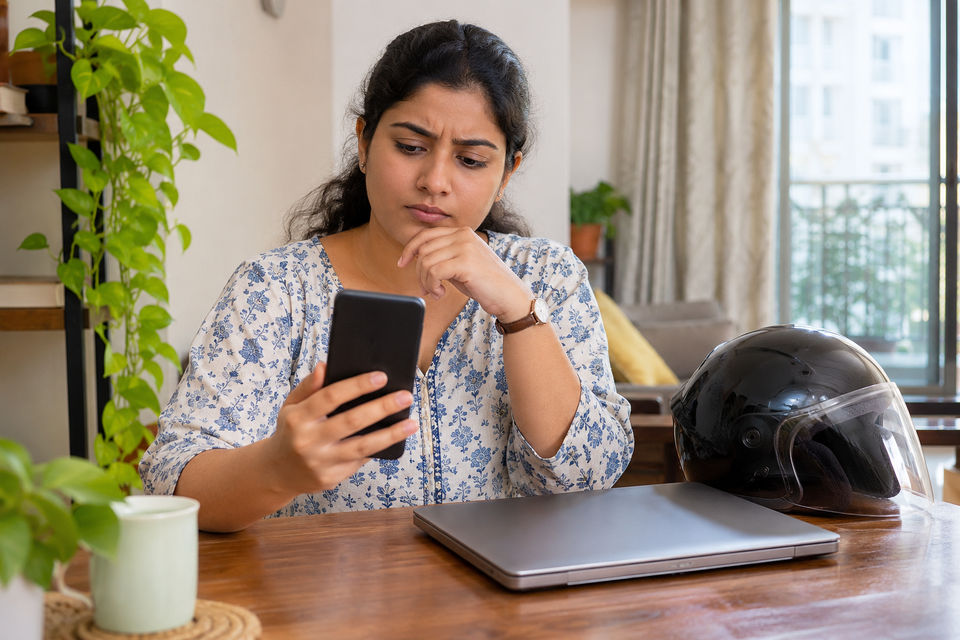
A traffic fine message is a prompt to verify, not a payment instruction
A text message saying your car or motorcycle has an unpaid traffic challan can be genuine, outdated, incorrectly matched, or fraudulent. The practical response is the same in all four cases: do not pay through the link in the message. Open the government’s eChallan service independently, look up the vehicle or challan, compare the details, and only then decide what to do. That extra minute separates a real enforcement record from a convincing imitation designed to collect payment credentials or install a malicious app.
India’s Ministry of Road Transport and Highways operates an eChallan system, with some jurisdictions using a NextGen portal or separate traffic-police workflows. A message alone does not prove that a fine exists, and a missing result on one screen does not always prove there is no outstanding local notice. The official portal itself warns about fraudulent websites and mobile apps impersonating its service. Treat the portal’s current instructions and the relevant traffic authority’s process as authoritative rather than a forwarded screenshot.
Step 1: reach the genuine service without following the SMS
Type the official address echallan.parivahan.gov.in yourself, or navigate from the Ministry’s Parivahan website. Do not trust a search advertisement merely because it appears first. Look carefully at the entire domain: a familiar word inside an unfamiliar address is not the same as the government domain. A shortened link, unusual payment page, request to install an APK, or demand to enter an OTP before seeing the alleged offence is a reason to stop.
The public eChallan flow offers searches using a challan number, vehicle registration number, or driving-licence number, subject to the portal and jurisdiction. Enter the requested information only after checking the address. Complete the displayed verification step if necessary. Some states and cities may direct you to a NextGen portal or their own traffic-police website. Follow those official redirects; do not guess that every fine in India appears in one identical database.
If you are checking for a family member, get their permission before using their vehicle or licence details. Never ask someone to send a complete ID document or bank-card photograph simply to verify a fine. The record lookup should not require disclosing your banking password or sharing a payment OTP with a caller.
Step 2: compare the actual challan details
A genuine record should provide enough information to investigate the allegation: the vehicle identifier, issuing authority, date, place, nature of the alleged offence, amount and status where available. Compare those fields with your own records. If you were elsewhere on the date, sold the vehicle earlier, or see a number plate that does not match, preserve the record and use the relevant grievance channel rather than immediately paying.
Be cautious about false certainty. An automated camera may record an offence before a notification arrives, and some notices may be pending in a local system. Conversely, a fraudster may copy a real registration number into a fake message. A plausible number plate or photograph in an SMS is not enough. Verification means matching an entry on an official system, not deciding whether the message looks professional.
Take a screenshot of the official result with its date, but protect personal details before forwarding it. Save the challan number and department name. These details are useful if you later need to raise a complaint or resolve a payment that does not update.
Step 3: know the difference between a notice, a challan and a paid record
A notice may invite a response or identify an alleged offence before the matter is finally disposed of. A challan may have a payment or contest procedure. The exact labels and options vary by jurisdiction and stage. Do not assume that every displayed item is immediately payable or that an online payment is the only legally available response. Read the offence details and any directions from the issuing authority.
If you agree with the record and choose to pay, start payment from the verified official portal. Check the recipient and amount on the payment screen. Save the transaction reference and receipt after completion. Do not retry repeatedly if the bank debits you but the portal still shows pending; first use the official pending-transaction or payment-verification option. Multiple attempts can create additional reconciliation work.
For a challenged record, look for the portal’s grievance or dispute option and any jurisdiction-specific instructions. Delhi traffic-police matters and states directed to NextGen may use separate grievance destinations. An objection does not automatically suspend every deadline, so record when you submitted it and monitor the response.
How to recognise a fake eChallan link
A scam may begin with urgency: pay within minutes, avoid arrest, prevent licence suspension, or click to see a photograph. It may imitate a government page and display a payment gateway. Other versions ask users to install an Android package or share screen access. The red flag is not only poor spelling; sophisticated messages can use correct names and polished design.
Check the domain independently, not just the padlock symbol. HTTPS means a connection is encrypted; it does not mean the operator is the government. Do not download a file sent in an unsolicited challan message. Do not give remote-control permission to a supposed helpdesk agent. Do not send an OTP, UPI PIN, CVV or card PIN to anyone claiming to resolve a fine. The official eChallan warning explicitly cautions against impersonators requesting sensitive information through calls, emails, messages or links.
If you already opened a suspicious link but entered nothing, close it and avoid downloading anything. If you installed an app, disconnect from sensitive accounts, use a trusted device to change affected credentials and seek appropriate technical help. If money was transferred, contact your bank immediately and report the incident promptly through India’s national cybercrime reporting channels; the official portal identifies 1930 for online financial fraud. Preserve the original message, address, transaction details and screenshots.
What if the fine belongs to a previous owner or another vehicle?
First compare the vehicle’s registration details with the alleged offence. A plate may have been entered incorrectly, cloned, or associated with a vehicle you have sold. If you recently sold a car or motorcycle, keep the sale date, transfer acknowledgement and RC records together. A sale agreement alone is not a substitute for completing the official ownership-transfer process. Do not send sensitive ownership documents to an unknown SMS sender.
Raise the issue with the department named on the official challan record and attach only the evidence the official channel requests. If you suspect plate cloning, ask the relevant traffic authority or police how to report it. Explain the facts rather than making unsupported allegations about the officer or camera. Retain acknowledgement numbers and follow up using the same channel.
A safe decision path for a disputed or paid challan
If the record is absent, check the jurisdiction and try the appropriate official service; avoid assuming that a third-party website is necessary. If the record is present and accurate, use the official payment workflow and keep the receipt. If the record is present but incorrect, use the grievance process and preserve evidence. If payment was deducted but the status did not change, use the portal’s transaction-status tool and your bank reference before paying again. If a message points to a strange website, treat it as suspicious regardless of whether a genuine challan exists separately.
A useful personal practice is to keep a small folder with official receipts, vehicle sale records, and screenshots of disputed notices. This is more effective than collecting dozens of SMS messages with no transaction context. Check for a response after a reasonable interval; escalation routes and timelines depend on the issuing department and current portal instructions.
Frequently asked questions
Can I verify a traffic fine without clicking the link in the SMS?
Yes. Open the official eChallan website independently and use the available challan, vehicle or licence lookup. Follow the site’s current jurisdiction-specific directions. A message should be treated as a lead to check, not as proof that payment is due.
Is a website with a padlock definitely genuine?
No. The padlock shows an encrypted connection, not government ownership. Examine the complete domain and navigate from an official source. Fraudsters can obtain certificates for misleading websites.
What should I do if my account was debited but the fine still appears unpaid?
Do not immediately make another payment. Save the bank transaction ID, use the official pending-transaction or payment-verification tools and contact the relevant support channel if the mismatch remains.
Can I challenge an incorrect challan online?
Many records have a grievance or dispute route, but the correct destination depends on the state, city and issuing authority. Start with the official challan detail page and keep the acknowledgement. Do not assume the same contest deadline applies nationwide.
Where do I report a fake payment link?
If you lost money or disclosed financial credentials, contact your bank urgently and use the national cybercrime reporting portal or 1930. You can also report a suspicious website or number through the official cybercrime suspect-reporting facility.
Official references and further reading
- Ministry of Road Transport and Highways eChallan service
- eChallan NextGen service
- National Cyber Crime Reporting Portal
- Cybercrime suspect reporting
Review note: Portal labels, jurisdiction routing and dispute options can change. Recheck the official live service before acting on a specific fine.