Forgotten App Subscriptions? Find and Cancel Them on iPhone or Android
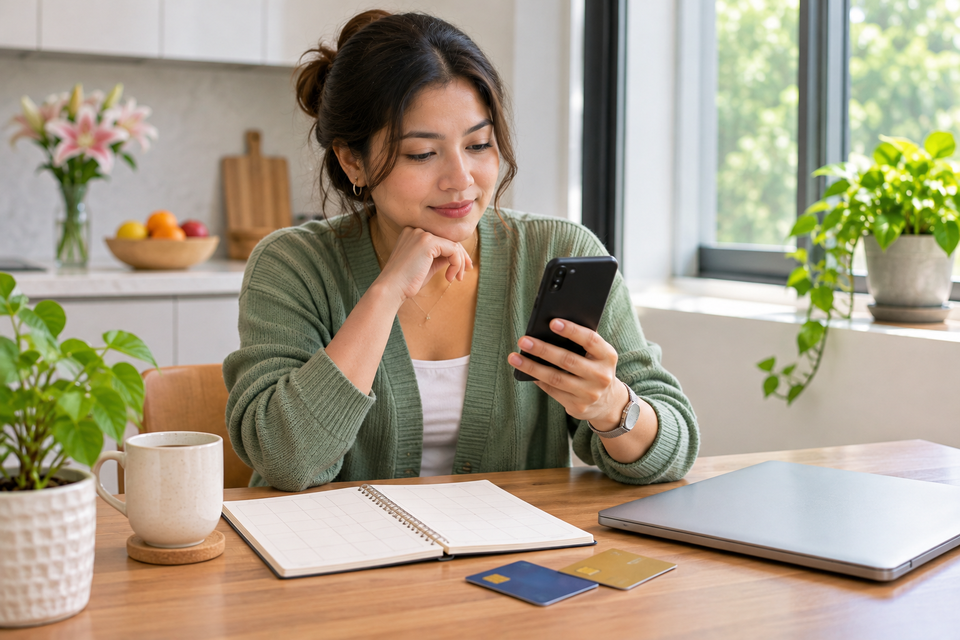
An app you tried for a week can become a recurring charge that is easy to miss. The difficult part is often not pressing “cancel”; it is discovering who is billing you. The app may be paid through Apple’s App Store, Google Play, the service’s own website, a family member’s account or a mobile carrier. Each route has its own cancellation process, and deleting the app from your phone is not a reliable substitute.
This guide is for people using iPhone, iPad or Android who want to identify forgotten subscriptions and stop future renewals. It does not assume every charge is fraudulent or that every cancellation triggers a refund. Start by matching the payment record to the merchant, then cancel through the correct billing account and preserve evidence of the result.
Step 1: make a list of recurring charges before opening settings
Review recent card statements, bank transactions, digital-wallet records and email receipts. Look for payments that recur monthly, annually or on a trial-to-paid schedule. Record the merchant descriptor, amount, currency, date and payment method privately. Some services use a parent-company name on statements rather than the app’s public brand, so a transaction that looks unfamiliar may still be legitimate.
Check more than one payment method. An old debit card, a virtual card, a family payment arrangement or a wallet can hide a subscription outside your main account. Do not share a full statement or card number in a public support forum. If a charge is genuinely unauthorised, contact the payment provider promptly; a normal subscription cancellation and a payment dispute are different processes.
Step 2: review subscriptions billed by Apple
On an iPhone, open Settings, tap your name and choose Subscriptions. Apple’s official subscription-cancellation instructions describe selecting the subscription and tapping Cancel Subscription when the option is available. You may need to scroll to find it. If the service already shows an expiration message and no cancellation button, it may already be cancelled. Read the screen rather than assuming the button is simply missing.
Use the same Apple Account that originally paid for the service. If you have used multiple accounts over time, the subscription may not appear under your current login. Search your email for Apple receipts and check which account received them. For a family member’s subscription, the family member generally needs to manage the subscription on the account that purchased it.
Step 3: review subscriptions billed through Google Play
On Android, open Google Play and find the subscriptions area under your account’s payments and subscriptions settings. Google’s official Play subscription guidance also explains managing subscriptions from the web. Select the relevant service, choose cancellation and follow the confirmation flow. Be sure you are signed in to the Google Account that purchased the subscription; multiple Google accounts on one phone are a common source of confusion.
Google explicitly notes that uninstalling an app does not cancel its subscription. That is one of the most expensive misconceptions in app billing. An app icon disappearing from the home screen changes the software on the device; it does not necessarily change the payment agreement associated with your account.
Step 4: find charges that do not appear in either store
If the charge is missing from both subscription lists, inspect the receipt and merchant descriptor. Some companies bill directly on their websites even when their apps are installed from an app store. Others sell through a telecom carrier, device manufacturer, workplace plan or third-party bundle. The correct cancellation route is usually the service account or the entity named on the receipt, not an unrelated app-store menu.
For example, you may have created an account on a streaming service’s website, entered a card there and later installed its iPhone app. The app may show your membership but not control billing. Conversely, a subscription purchased in an app may be managed by the app store even when the provider has its own website. Look for wording such as “billed through Apple,” “Google Play” or “manage with provider” in the account’s billing area.
Step 5: check the cancellation confirmation, not just the first tap
Some services ask you to select a reason, confirm a final screen or acknowledge when access will end. Stop only when the account displays a clear cancellation or non-renewal state. Save the confirmation email or screenshot, date and subscription identifier. A generic “we received your request” message may not be the same as an effective cancellation; check the account again after a short interval.
Apple’s support guidance explains that a subscription may show as already cancelled when no cancel button remains and an expiration message appears. Google Play says a cancelled subscription generally remains usable for the time already paid, subject to the plan’s terms. That is different from a refund. Do not assume access ends immediately or that unused days are automatically returned as cash.
Step 6: deal with free trials before they renew
A free trial may require cancellation before a specific cutoff to avoid the first charge. Record the trial end date and the provider’s terms when you sign up. Apple’s current guidance advises cancelling trial subscriptions at least 24 hours before the trial ends if you do not want renewal. Other providers may have different rules. A calendar reminder set for the day before the deadline is more reliable than hoping you will remember the offer.
If a trial was started through a family member’s account, the notification may go to their email rather than yours. Agree in advance who will cancel it. If a service promises a trial but asks for payment credentials, inspect the renewal amount and frequency before proceeding. “Free today” is not the same as “no recurring obligation.”
Step 7: distinguish cancellation from refund and chargeback
Cancellation stops or changes future billing under the provider’s terms. A refund asks for money already charged to be returned. A chargeback or bank dispute is a payment-provider process for an unauthorised or contested transaction. They have different evidence requirements and outcomes. If you were charged after a documented cancellation, preserve the confirmation and contact the billing provider with the exact charge date.
Do not claim fraud merely because you forgot to cancel a trial. Explain the facts and use the provider’s refund policy. If the charge is truly unauthorised, secure the affected account and payment method as well. A recurring charge can be a sign of an old subscription, but it can also be a compromised account; the bank and service may both need to investigate.
Build a small subscription register that stays useful
Keep a private list with service name, billing account, monthly or annual cost, renewal date, payment method and cancellation route. It does not need to be a complicated spreadsheet. A few columns in a secure note are enough. Review it whenever you change phones, move to a new country, replace a payment card or consolidate family accounts. Remember that cancelling a card may not terminate the underlying agreement; notify the service when required.
Email aliases can help you track which service sent a receipt, although they do not automatically stop billing. NOWLIVO’s guide to email aliases and plus addressing explains the difference. If you are reducing account exposure as well as costs, review third-party connected-app access separately. Removing an app’s login permission is not the same as cancelling its paid plan.
Troubleshooting when the charge keeps returning
First compare the charge date with the effective cancellation date. It may be a payment authorised before cancellation, a different billing account, a second subscription tier or a service billed by another provider. Check receipts for alternate email addresses. If the merchant says the plan is cancelled but charges continue, request a written explanation and contact the payment provider with the cancellation evidence.
Do not use a random “subscription finder” app that demands complete access to your bank accounts or inbox unless you have evaluated its permissions and privacy policy. You can often identify the recurring charge from your own statements and official account dashboards. Convenience is useful, but exposing financial data to another service creates a separate risk.
Frequently asked questions
Does deleting an app cancel its subscription?
Not necessarily. Google Play explicitly says uninstalling an app does not cancel the subscription. Use the correct billing provider’s cancellation flow.
Why is a subscription missing from my iPhone settings?
It may have been purchased through another Apple Account, billed directly by the company or paid through another provider. Check receipts and statements.
Will I lose access immediately after cancellation?
Often you retain access until the end of the paid period, but terms vary. Read the confirmation for the actual end date.
Can I cancel an Android subscription from a computer?
Google Play provides web subscription-management routes. Sign in to the account that originally purchased the plan.
Is cancellation the same as a refund?
No. Cancelling future renewal and recovering a previous charge are separate decisions governed by the applicable provider and payment rules.
Source and refresh note: Apple and Google Play cancellation guidance reviewed on 2 November 2026. Menus, country-specific rights and billing terms can change, so check the current help page for your account.